Change an Organisation's Name
Changing a organisation's name is available the Insights Customer Platform to Advanced User and Group Managers.
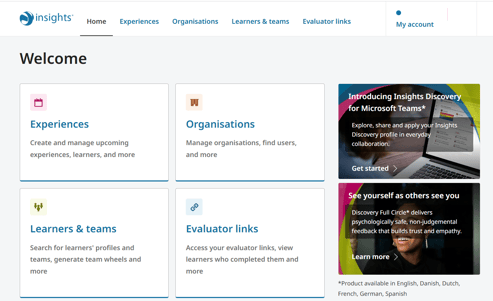
To start, select Organisations menu option or tile on the homepage dashboard.
Single Organisation Users
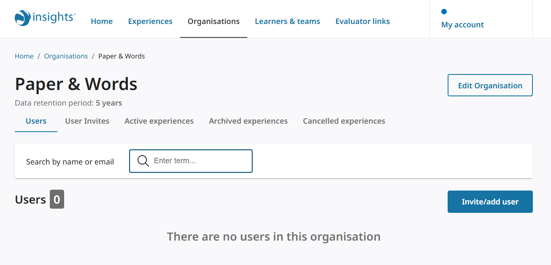
If you are a user who only has access to one organisation, you will be automatically taken to the Organisation page.
Multi-organisation Users
If you are a user with access to more than one organisation, you will be taken to the Organisations page containing a list of all organisations you are able to access.
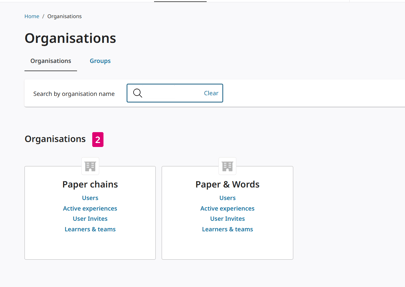
Click on any one of the Organisation tile link options to be taken to the Organisation page :
- Users
- Active experiences
- User Invites
- Learners & teams
Edit Organisation
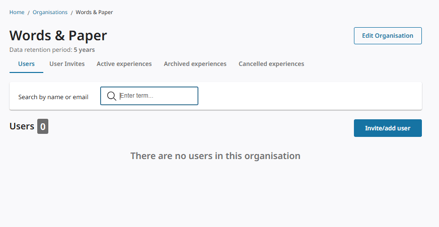
This takes you to the Organisation page containing all displays details of all the users, experiences and learners & teams that belong to it.
To change the name of the organisation, select Edit Organisation button.
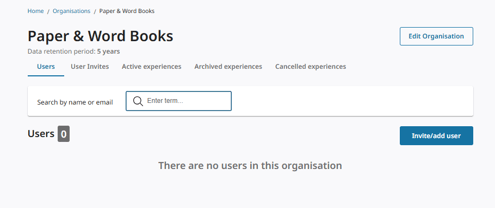
This takes you to the Edit Organisation page.
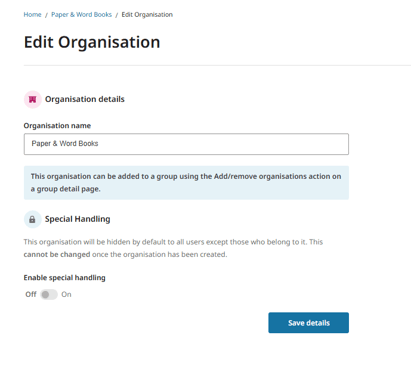
Change Organisation's Name
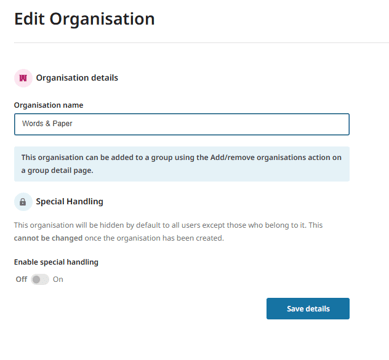
The Edit Organisation page displays all organisations details. Follow these directions to change the organisation's name:
- In the Organisation name field, delete existing organisation name.
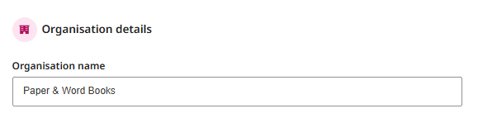
- Enter new name into the Organisation name field.
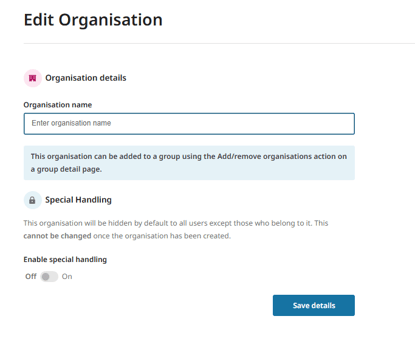
- Confirm Organisation's name change with Save details button.
- The organisation's name change will result in the Organisation's name being updated across Insights Customer platform with the new name entered in the Organisation name field for:
Organisation pages
Organisation tiles