You/Yours Pronouns and Pronoun Opt-out
Learners completing their evaluator in English can now select two new pronouns options giving them more flexibility and removing a barrier to participation.
The new options will be displayed as:
- You/Your/Yours for Second person pronouns
- Use only my name
In Insights Customer Platform, a learner's pronouns can be changed on the learner page for profiles linked to the learner's most recent evaluator without the need to re-purchase. Second person pronouns and Pronoun opt-out options are only supported in English.
Change Learner's Pronoun options
Search for your learner
To start, select ‘Learners & Teams’ from your home page dashboard or menu tab.
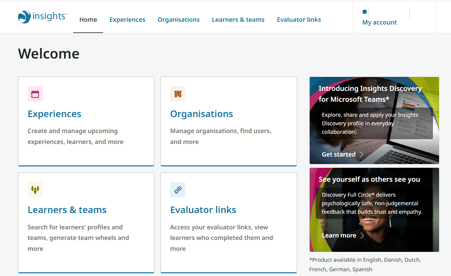
This takes you to the Learners & Teams page containing information about the learners and teams you have access to.
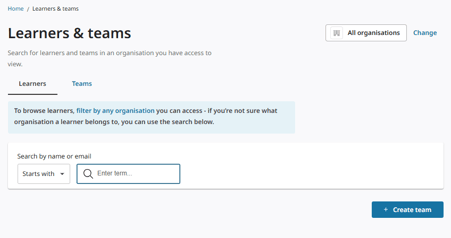
Type the name or email address of the learner whose profile you would like to archive into the search field.
The matching results will display in the Learners results.
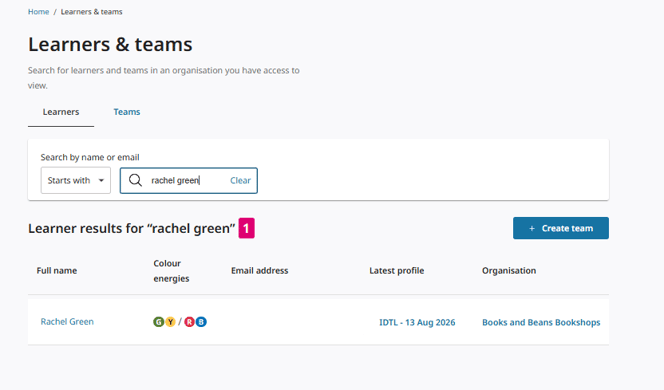
View Learner's Page
Click on the name of learner you wish to view.
This takes you to the learner’s page that summarises the learner’s information, the organisation their profile belongs to and a record of the learner’s Insights profiles history under the Profiles section.
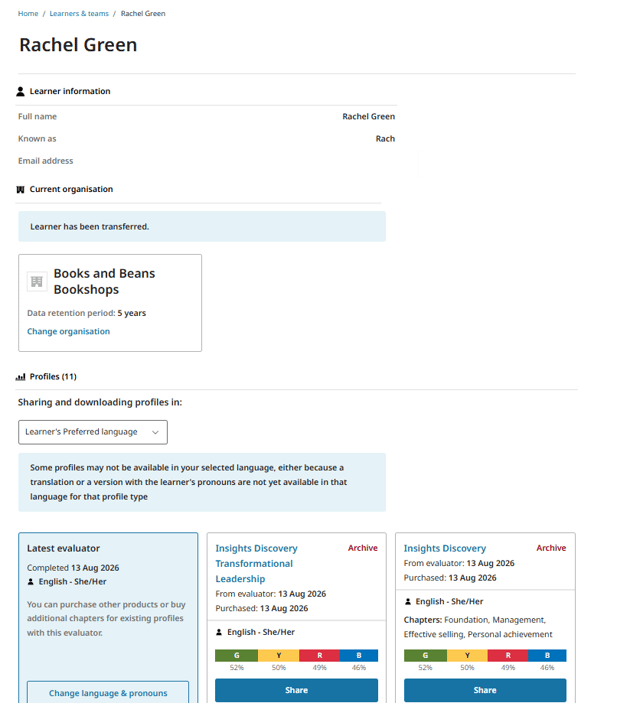
Change Learner's Pronouns
To change a learner’s pronouns, click the Change language & pronouns button on the Latest evaluator card.
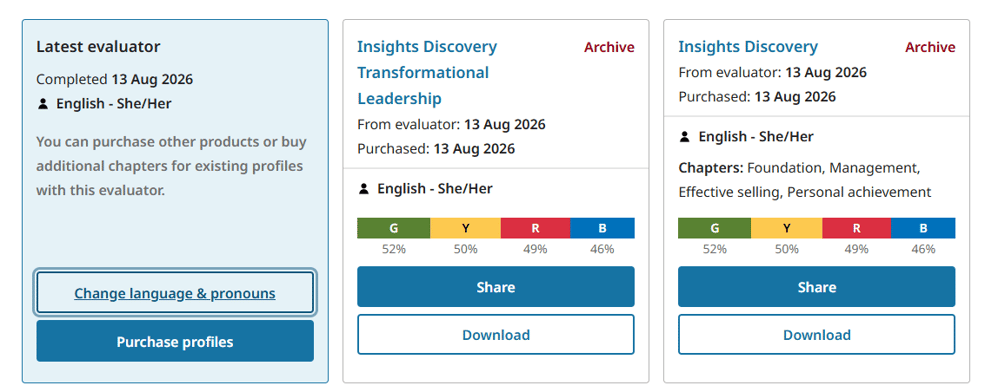
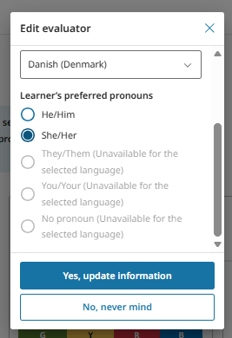
This opens the Edit evaluator modal.
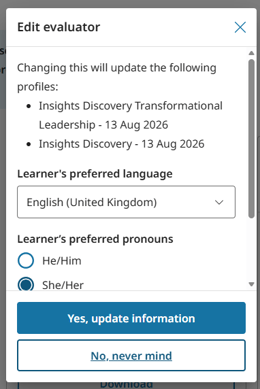
Scroll down to the Learner's preferred pronouns.
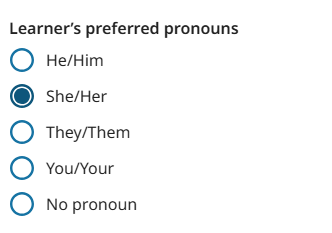
The new options will be displayed as:
- You/Your for Second person pronouns
- No pronoun for Pronoun opt-out
Select You/Yours Pronouns
Select You/Yours radio button.
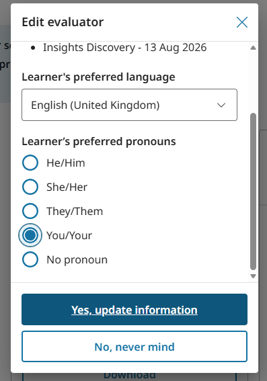
Click Yes. update information to confirm new pronoun option selection.
Their profile cards will show to "You/Your" when Second Person Pronouns are selected.
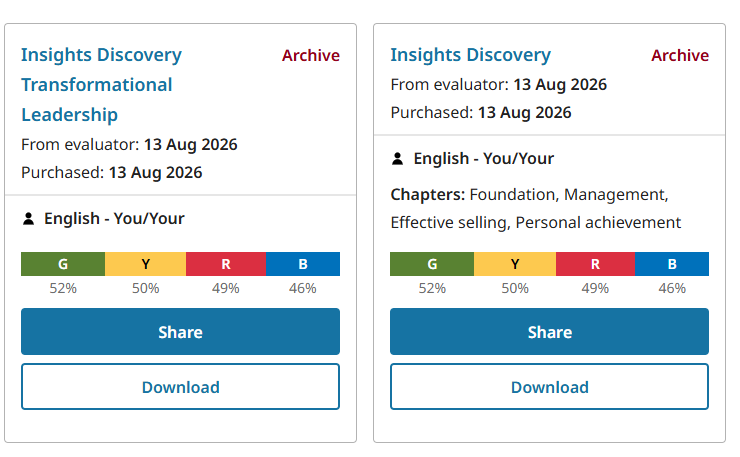
When You/Yours pronouns are selected, the learner's profile content will address them directly using "you" and "your" rather than gendered or third-person pronouns.
Select No pronoun (Pronoun opt-out)
Select No pronoun radio button.
Click Yes. update information to confirm new pronoun option selection.
Profile cards will display the pronoun as "No pronoun" when Pronoun Opt-out is selected.
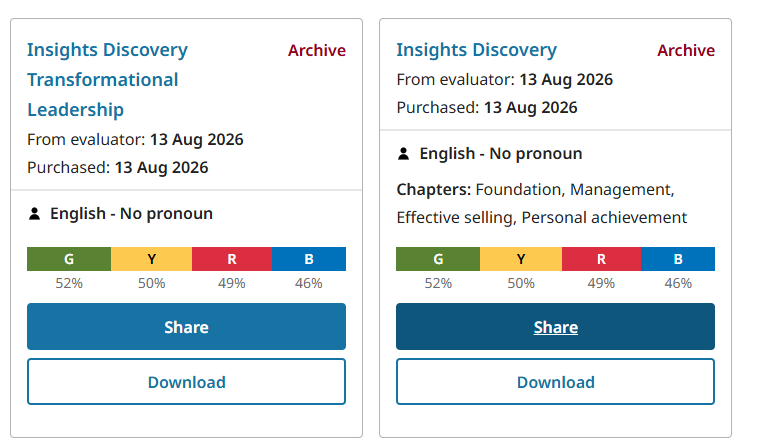
When No pronouns are selected, the learner's profile content will address them directly using "you" and "your" rather than gendered or third-person pronouns.
Sharing and downloading profiles using Second Person Pronouns or Pronoun Opt-out
Profiles with these new pronoun options can be shared and downloaded just like any other profiles. If a profile/language combination doesn't support the You/Your content, the system will let you know before downloading.
Supported Languages
Second person pronouns and Pronoun opt-out options are only supported in English.
On the Edit Evaluator modal, the new pronoun options will be disabled when the learner's preferred language does not support them.