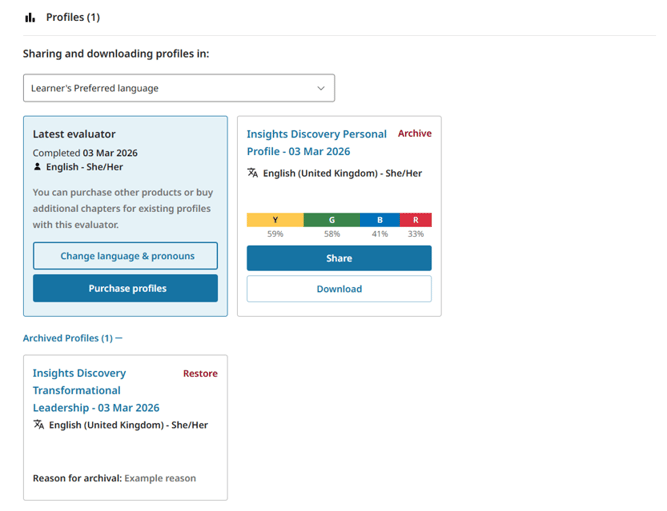
How to Archive a Learner's Insights Profile
To start, select ‘Learners & Teams’ from your home page dashboard.
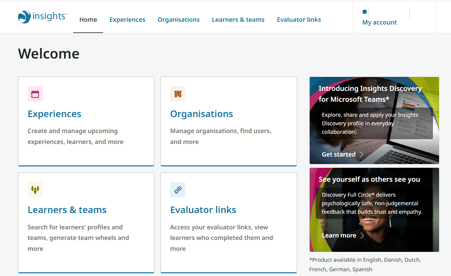
This takes you to the Learners & Teams page containing information about the learners and teams you have access to.
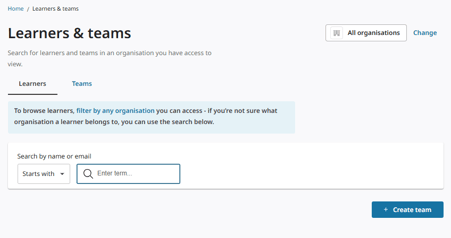
Type the name or email address of the learner whose profile you would like to archive into the search field.
The matching results will display in the Learners results.
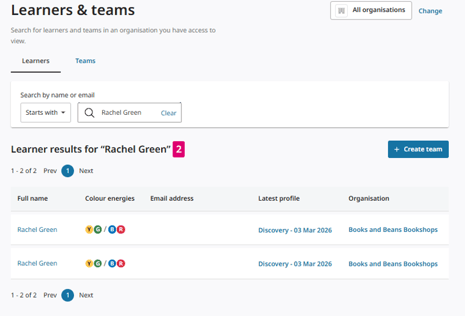
View Learner's Page
Click on the name of learner you wish to view.
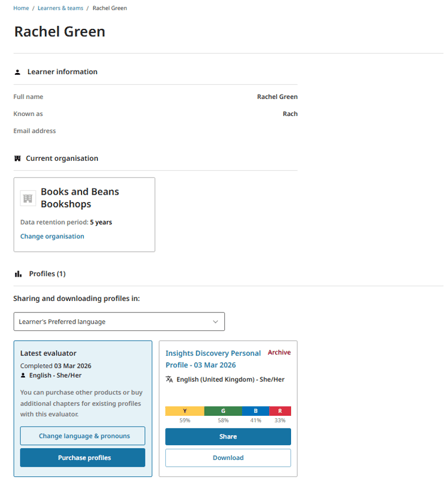
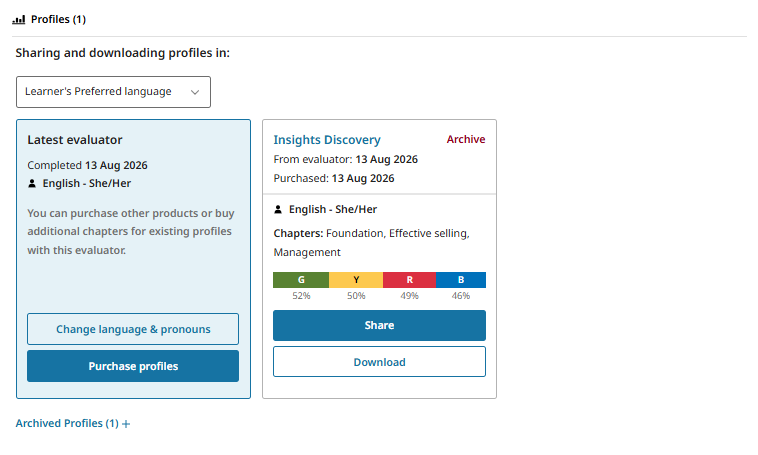
This takes you to the learner’s page that summarises the learner’s information, the organisation their profile belong to and a record of the learner’s Insights profiles history under the Profiles section.
Archive a Learner's Profile
To archive a learner’s profile, click the Archive button.
This will open the Archive Profile modal.
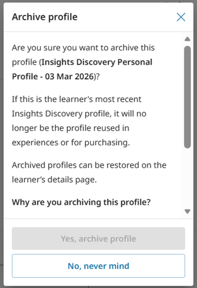
Select a reason why you wish to Archive a learner's profile.
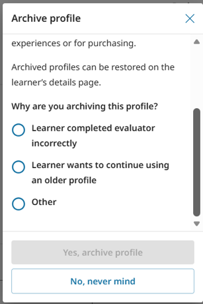
You can select from three options:
- Learner completed evaluator incorrectly
- Learner wants to continue using an older profile
- Other
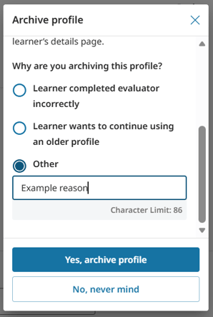
If you select Other, you will be able to type your own a short 100 characters description for the reason why you wish to archive the profile.
Archived profiles will be displayed under Archive profiles.
Archive a Learner's Profile
To view a learner's archived profile, click on Archived Profiles button.